Risk management monitor
Risk management monitor
The Risk Management monitor user (operator) receives complete information about the player. Operators can view current player`s restrictions (limits, delays), player`s risk segment and some aggregating statistics. However, this tool does not contain reports or aggregated statistics on the customer base.
Player`s risk segment and restrictions provides by special ML algorithm based on
- • betting behaviour
- • groups with similar accounts
- • behavior within a certain time limited by a specific number of bets
and controlled by qualified anti-fraud operators of GR8 Tech.
Main window of the player's risk profile contains:
- • Player statistics by Sport, turnover, profit, and qualitative assessment
- • Overall assessment of the client's bets with a breakdown by risk type
- • Betting activity, including risk assessment
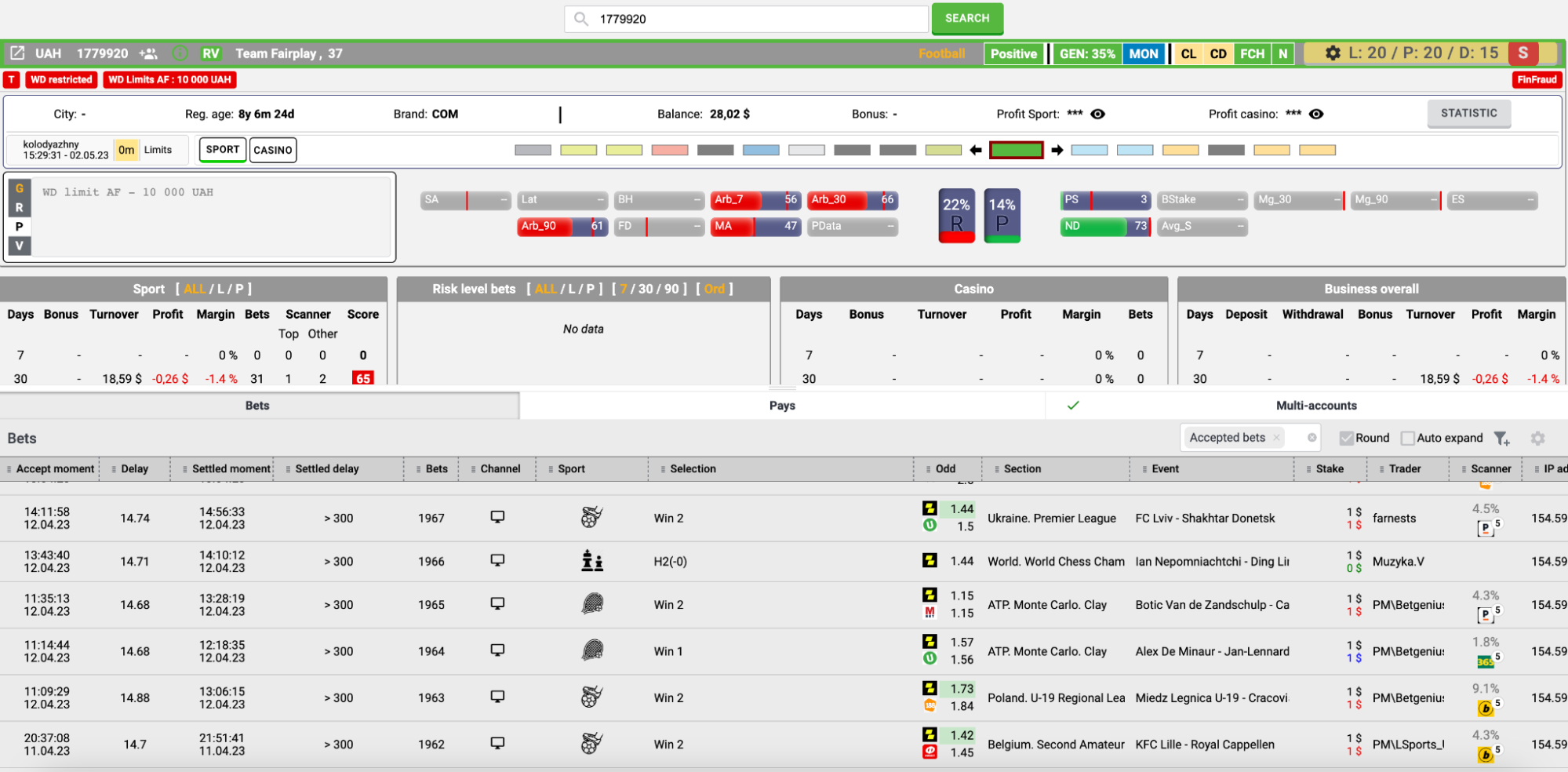
The following widgets open from the client's risk profile:
- • Detailed client statistics
- • Client settings
Client statistics
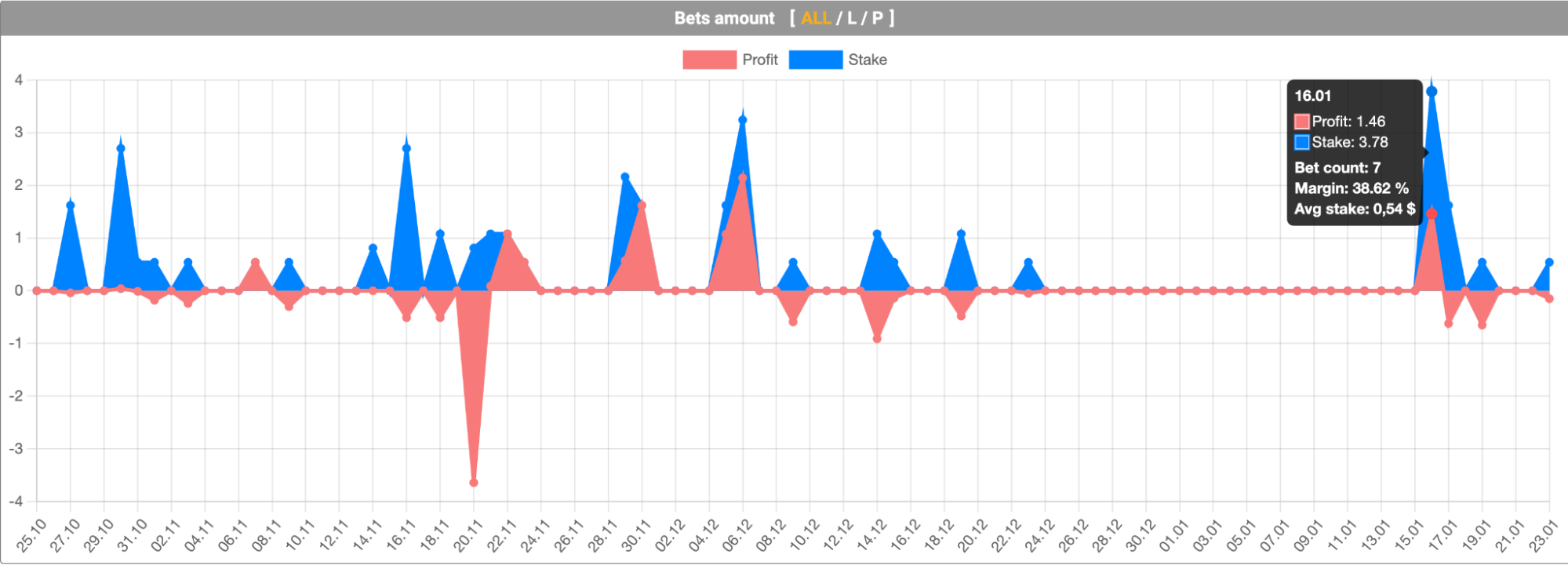
Evaluation of bets
The original widget with statistics may not be enough to understand the qualitative characteristics of the client, so operators can examine the player's betting activity in more detail, namely, the presence of fraudulent activity, such as bets on the played (buttons), arbitrage bets, and inflated odds.
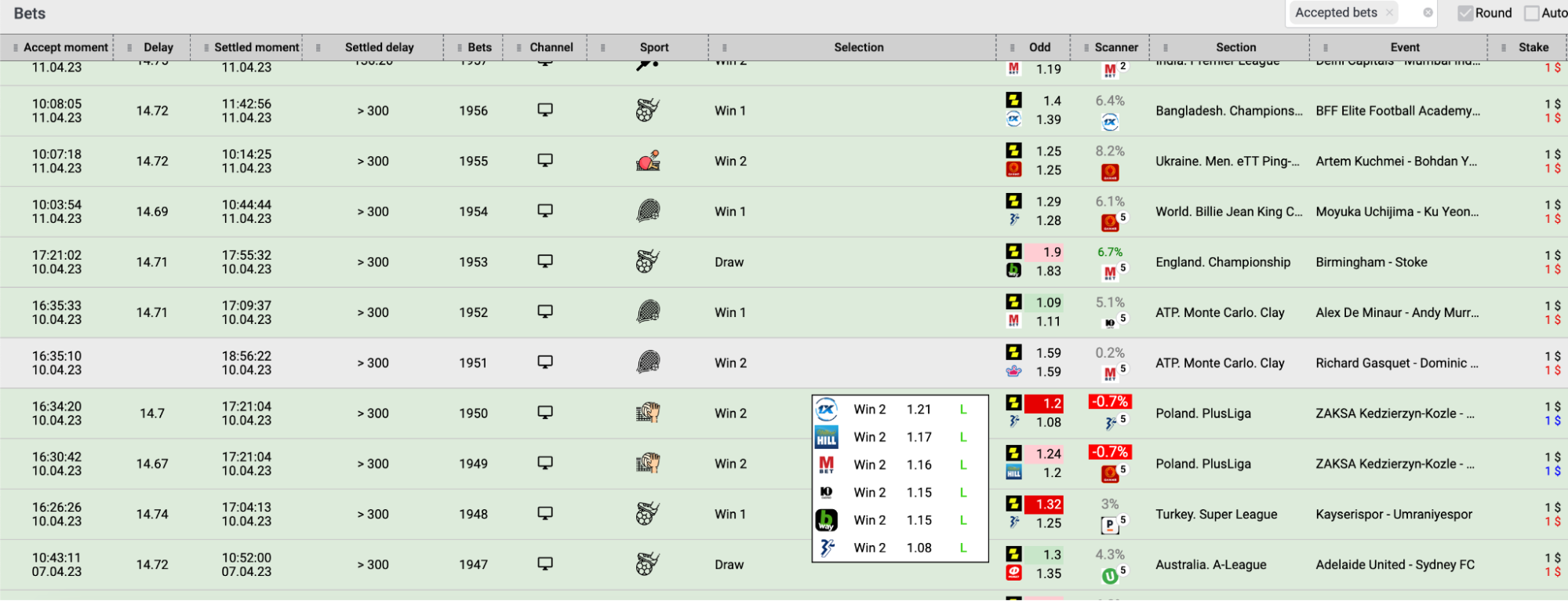
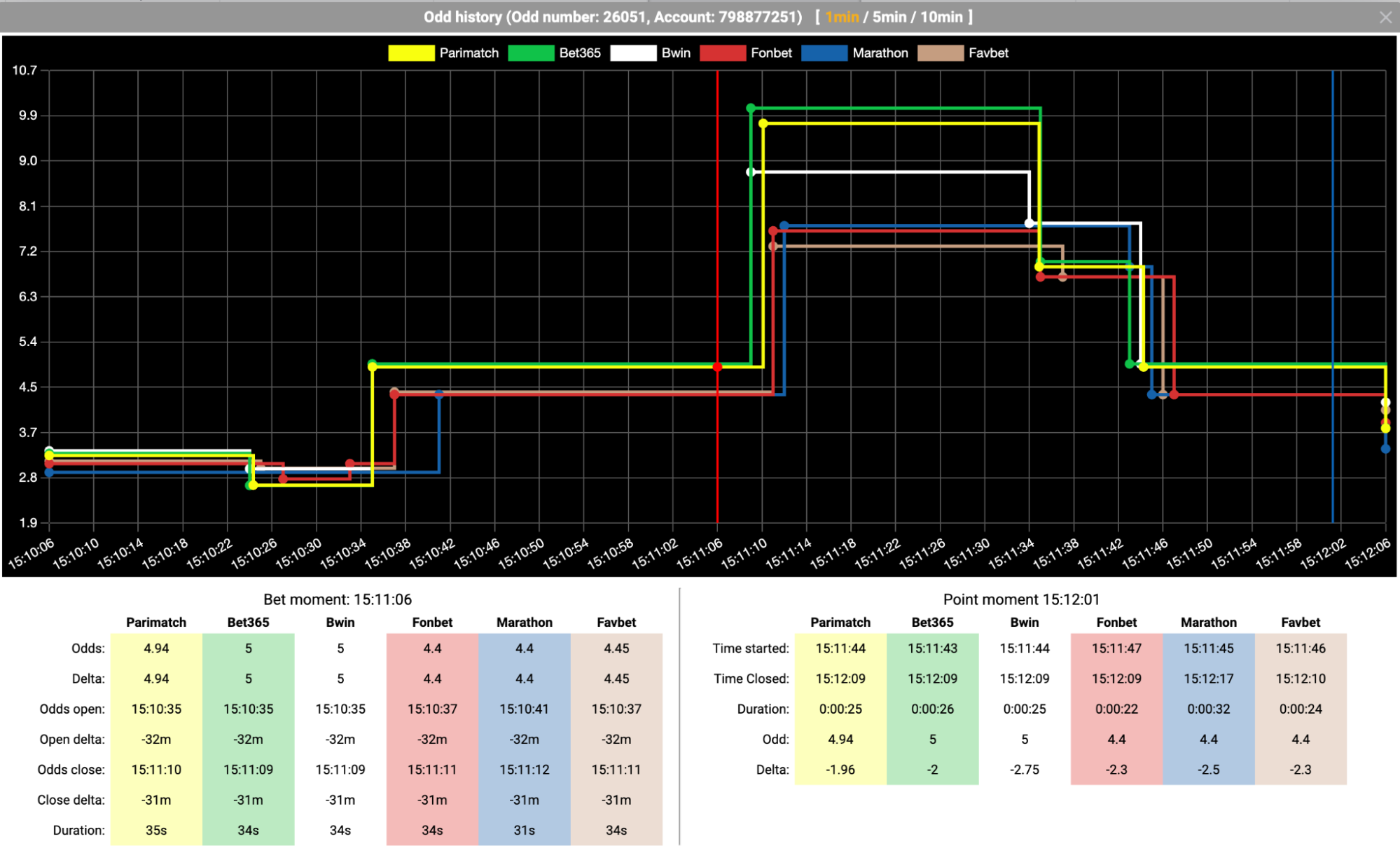
Currently, there are about 40 different algorithms that detect different types of fraud or other risky activity. Each algorithm is based on an ML model trained on previous decisions of operators (which has been collected for several years) and uses the maximum available information on the client for evaluation. Each algorithm has been tested and confirmed for risk-responsiveness by anti-fraud specialists.
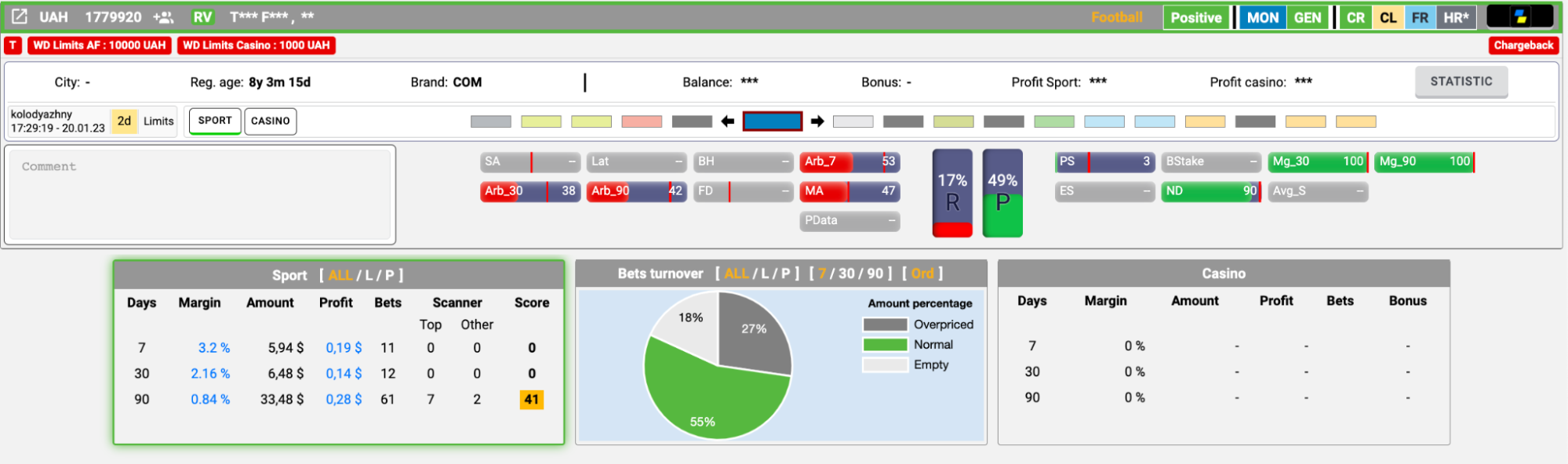
Client passport window
Sport statistics
A widget for statistical analysis of a player in the context of Sport, including profit, margin, and a qualitative indicator of the client's bets.
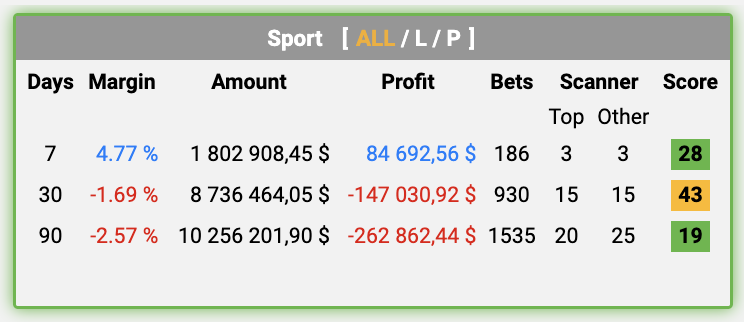
Displaying player statistics in the Sport section
Bets risk level
Statistics on qualitative indicators of bets. This widget gives you an understanding of the distribution of customer bets by type:
- • Normal - a normal bet with the expected margin
- • Overpriced - a bet with overpriced odds among competitors
- • Arbitrage - a bet with an arbitrage situation
- • Danger - a bet with a very large arbitrage % or negative margin
- • Empty - a bet without a qualitative indicator
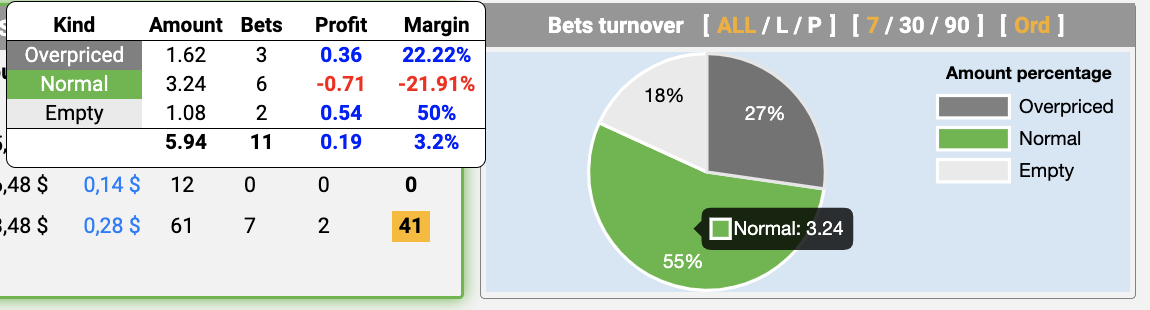
Player skills
Reflects the skills of the client according to a certain type of behavior, both on the risk and premium side.

Displaying customer skins
Bets
It is responsible for displaying the client's bets with all the additional information on competitors' odds and margins. This functionality can show both accepted and rejected bets (placebets). It also provides detailed information about the competitors' lines at the time of the bet and their history.
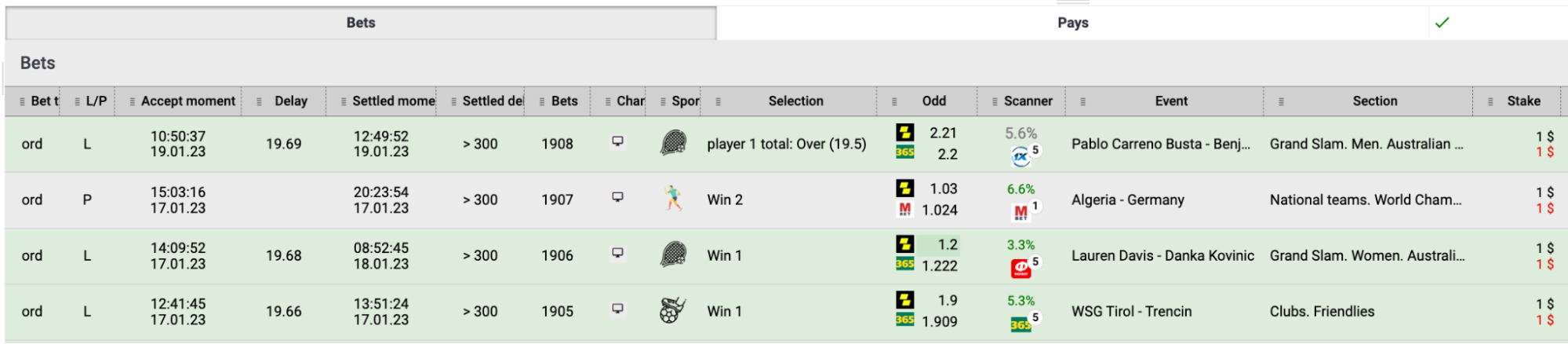
Displaying the client's betting window
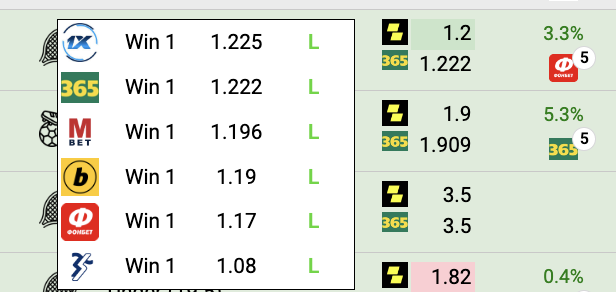
Displaying odds of other bookmakers at the time of betting
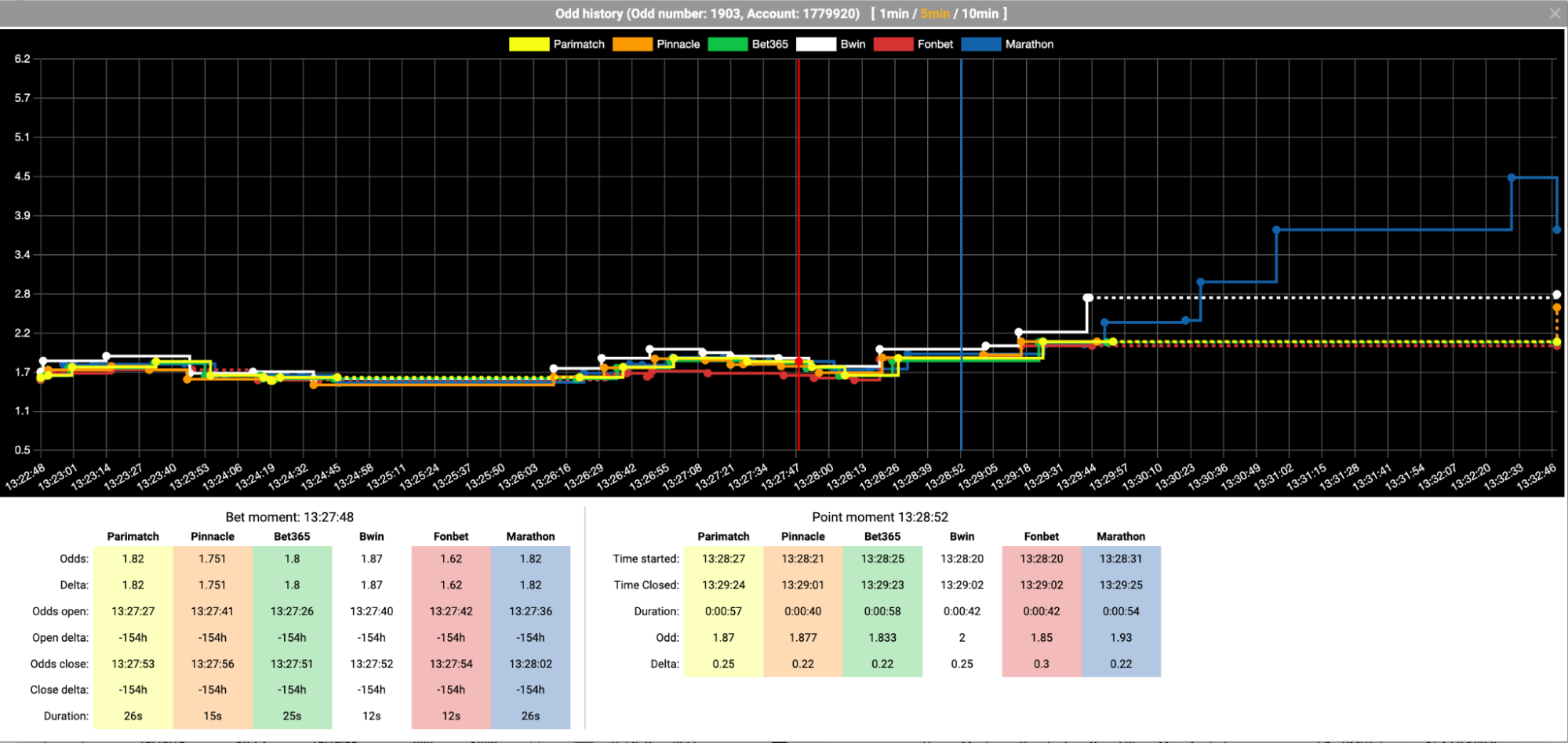
Displaying a diagram of the dynamics of competitors' odds on a bet

Display of accepted and rejected bids per client
Arb accident
A tab for monitoring current matches with detected arbitration situations and clients who have placed relevant bets.
It is divided into two blocks: Events and Accounts.
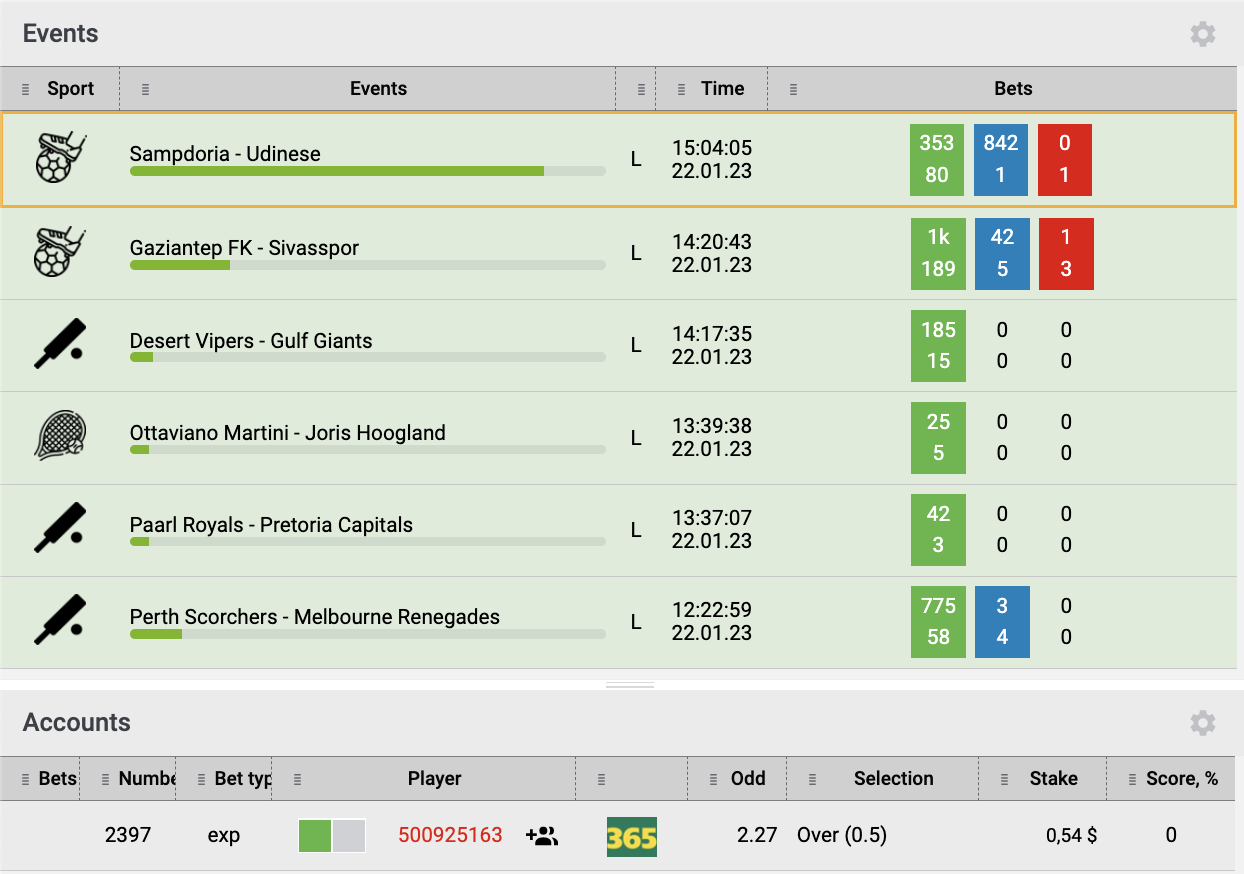
An example of displaying the monitoring of arbitration situations by matches